
PaperSave 6 style email notifications - Per Item
For notification style defined as ‘Per Item’, you will receive the email notification in the following format. The email notification subject includes the Workflow item ID:
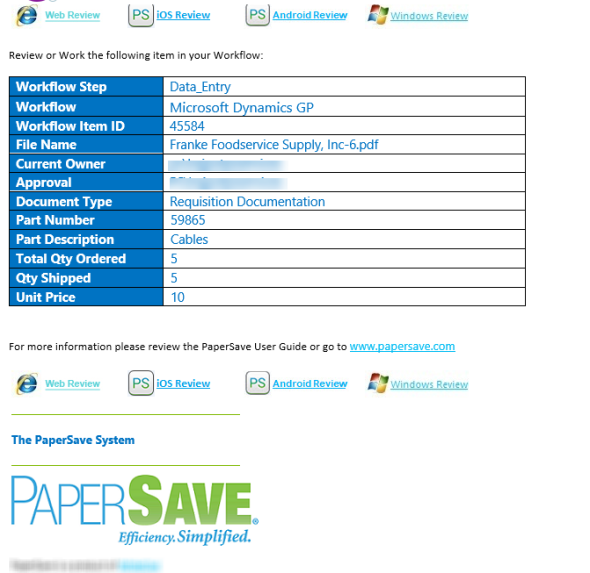
The email for Per Item notification style is divided into the following sections:
1) Workflow Item Details: This section displays details such as Workflow name, current Workflow step, Workflow ID, File Name, Current Owner, etc.
2) Review Using: This section provides you the following ways to review the Workflow item. You can click on the review hyperlink to view the Workflow item in respective PaperSave application variant.

- Web (review the item in a browser)
- iOS device (review the item in PaperSave iOS application)
- Android device (review the item in PaperSave Android application)
- Windows (review the item in a desktop application)